Event Offers
The Event Offers section allows you to view event Offers sent by Credentia Operations. From this section, you can review event details and accept or decline offers directly from the mobile application.
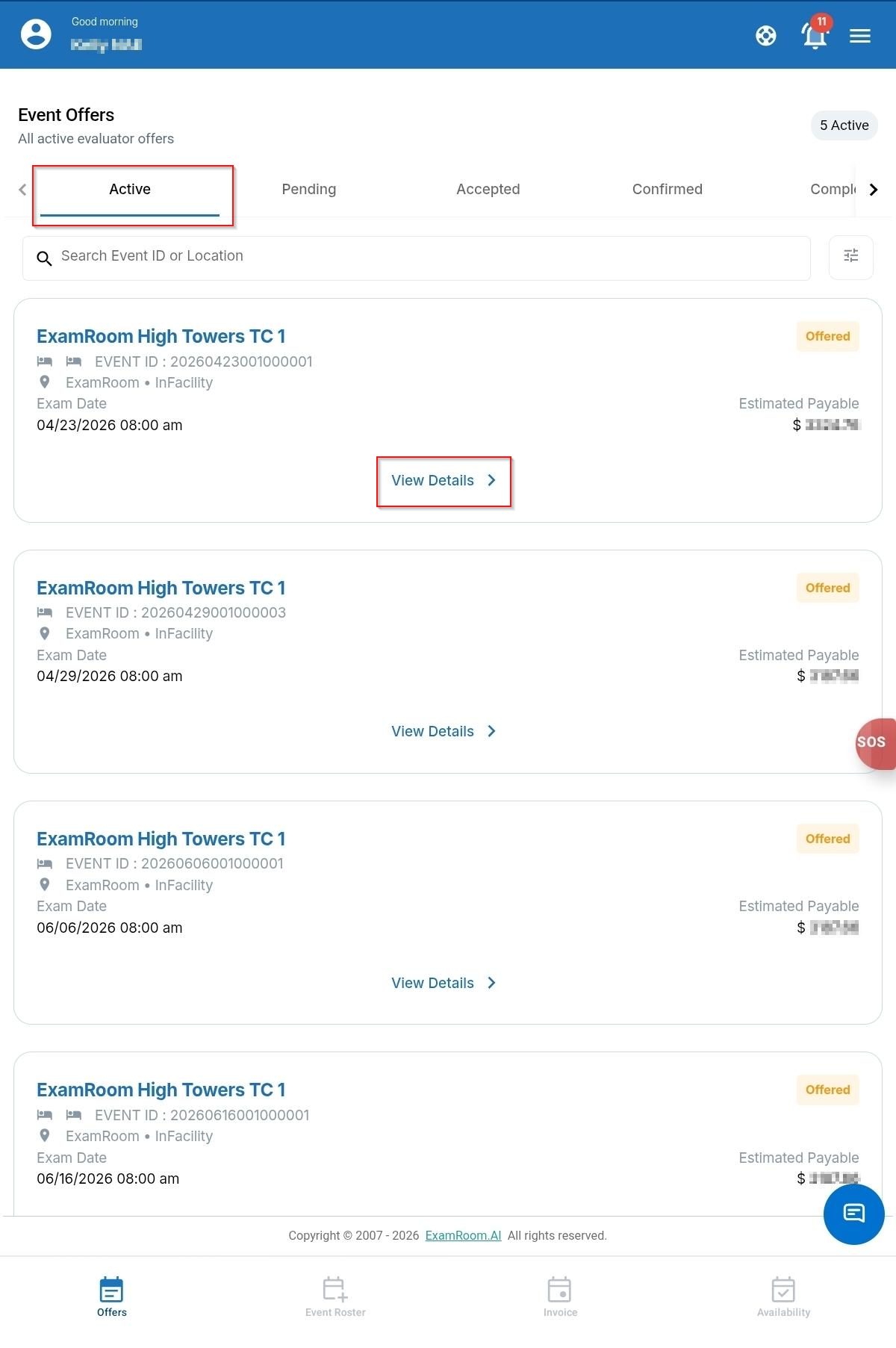
Each Event Offer displays key information about the event, including the event date, number of sessions, estimated earnings, exam schedule, candidate count, and event venue. You can also view the status of event offers, search for events using the search bar, and filter results using the filter icon.
Viewing Event Offers
To view Event Offers, follow these steps:
- Tap Offers from the bottom navigation bar.
- The Event Offers screen opens and displays the list of available offers.
- Use the tabs at the top of the page to view offers based on their status. On the active tab, you can see all the offers sent to you, which need to be reviewed. Refer: Accepting or Declining Event Offers.
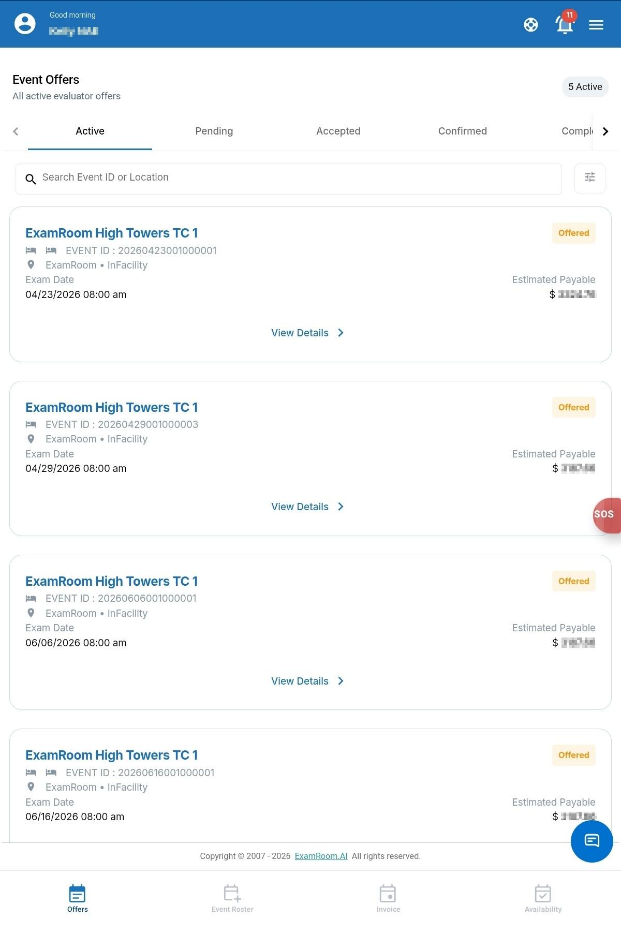
| Field or Icon | Description |
| Active | Displays the list of active Event Offers. |
| Pending Completion | Displays the list of past Events for which the Event Complete button has not been pressed to complete the event process step. |
| Accepted | Displays the list of accepted Event Offers. |
| Confirmed | Displays the list of confirmed Event Offers. |
| Completed | Displays the list of Events that have been completed successfully, including pressing the Event Complete button. |
| Declined | Displays the list of declined Event Offers. |
| Canceled | Displays the list of canceled Event Offers. |
| Expired | Displays the list of Event Offers that are not accepted and have expired. |
| Closed | Displays the list of event offers that were closed because the event was canceled. |
Event Offer Information
Each Event Offer displays the following information:
| Field or Icon | Description |
| Estimated Earnings | Displays the estimated amount you will earn for the event. |
| Event Date | Displays the scheduled event date. |
| Total Sessions | Displays the number of exam sessions scheduled for the event. |
| Event Schedule | Displays the exam names and Event timings. |
| Estimated Candidates | Displays the expected number of candidates for each Event. |
| Event Venue | Displays the test center location where the event will be conducted. |
Accepting or Declining Event Offers
When a new Event Offer is created, you will receive a notification email and an in-app notification.
You can review the offer details and choose to accept or decline the offer.
To accept or decline an Event Offer, follow these steps:
- Tap Offers from the bottom navigation bar.
- In the Active tab, select the Event Offer you want to review by clicking on the View Details option.
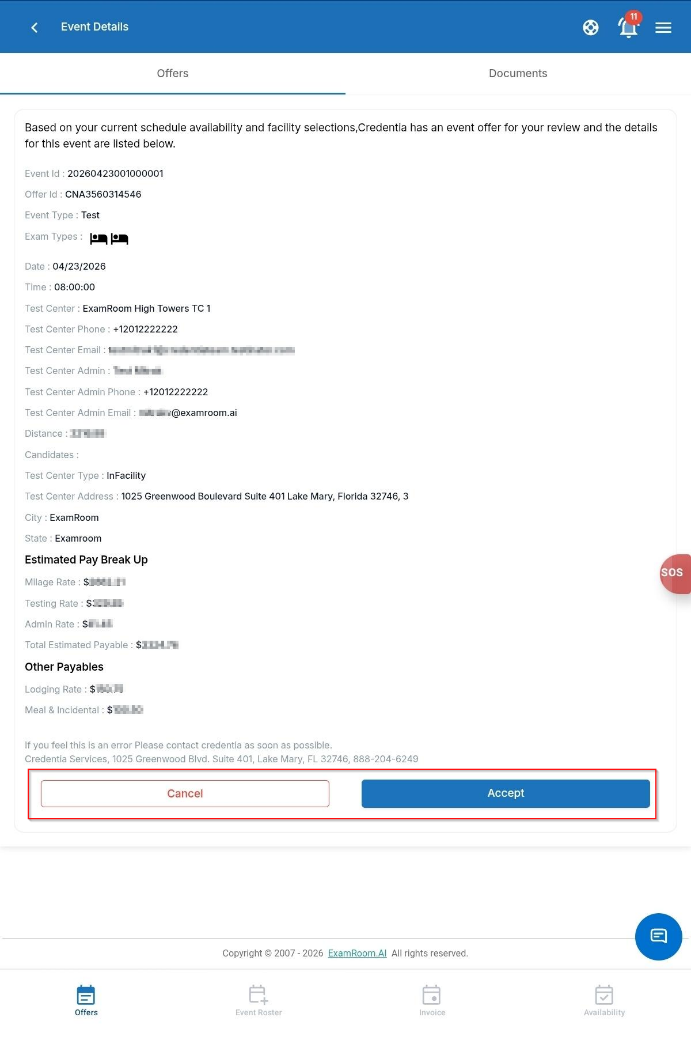
- Review the event details, including the schedule, estimated earnings, and event venue.
- Choose one of the following options:
- Tap Accept to accept the Event Offer.
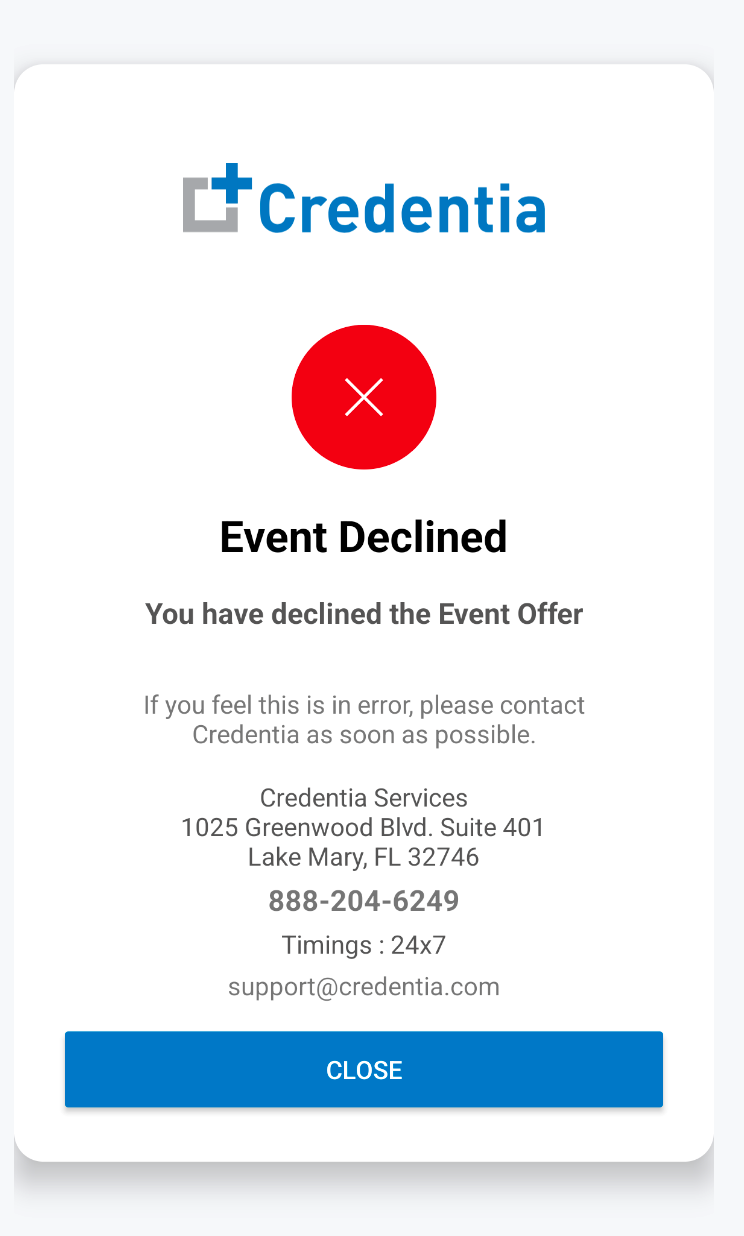
- Tap Decline to decline the Event Offer.
Note:- You can accept or decline only Event Offers that are in Active status.
- All NAEs receive email notifications when an Event Offer is created. However, receiving an email does not guarantee assignment to the event.
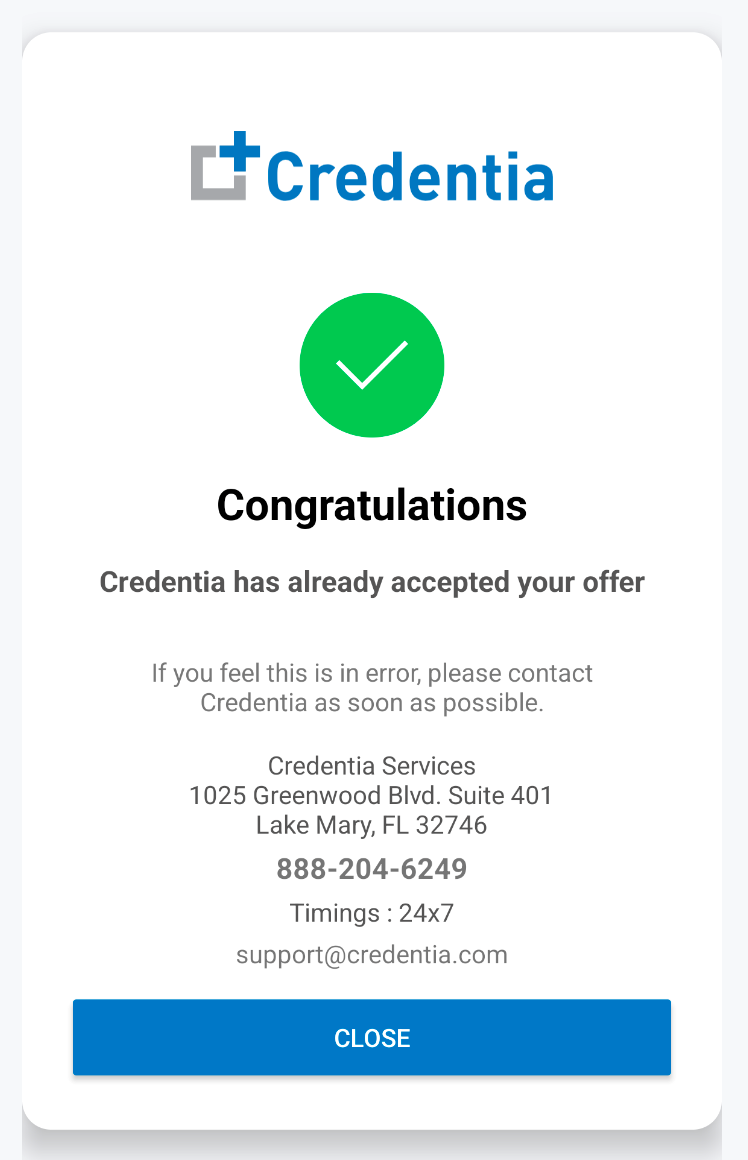
- After you accept an Event Offer, Credentia Operations must approve it before the event is confirmed.
- Tap Accept to accept the Event Offer.