Forgot Password
If you have forgotten your password, you can reset your password on the Credentia login page by following these steps:
To reset your password, follow these steps:
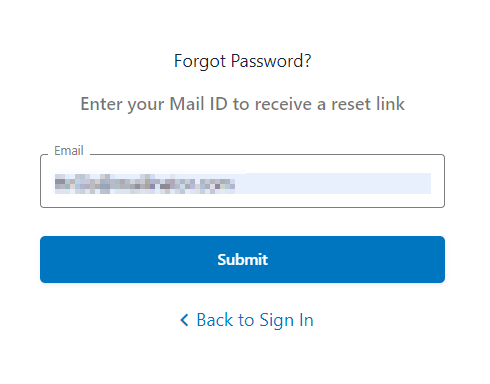
- Click Forgot Password.
- In the Email field, enter your registered email address.
- Click Submit or click Back to Sign In to discard and go back to the login page.
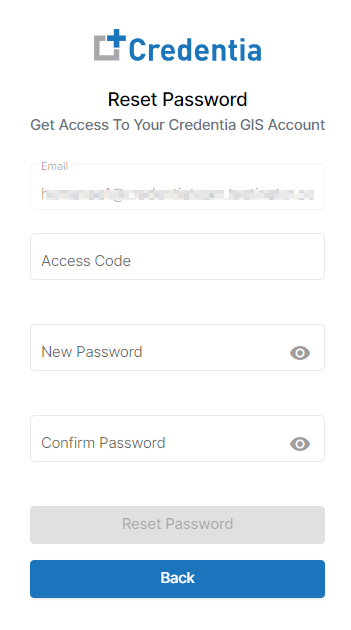
- Enter the Access Code, a six-digit numeric code that is received at your registered email address.
- Enter the New Password and Confirm the Password.
- Click the View icon to view your new password.
- Click Reset Password. To return without resetting the password, click Back.
- A confirmation pop-up appears on the screen stating, “Your password reset is successful." Click Login to proceed and log in to the application.